Chronicles of crafted sound
Acoustica presents itself as a refined solution for audio editing and post-production, offering a blend of precision and power. Its focus on professional workflow ensures creators can work without compromise. From podcasts to music mastering, the software aims to deliver exceptional results through an intuitive interface designed for efficiency and clarity.
Top Recommended Alternative
Tales of sonic mastery
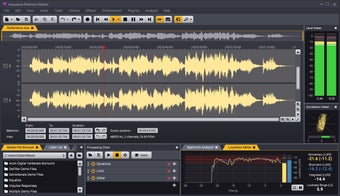
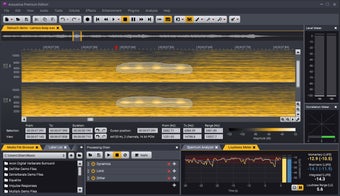
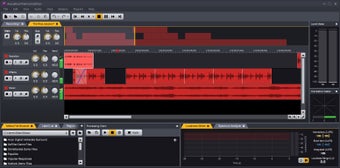
Acoustica offers both a fully equipped Premium Edition and a more affordable Standard Edition to suit various creative requirements. This multimedia-video app has a wide range of features designed for precise sound shaping and detailed control over every element of audio projects. Its interface is flexible, letting you dock meters, analyzers, region markers, processing chains, and browsers exactly how you prefer.
The Premium Edition enhances the experience with Dolby Atmos 7.1.2 support and bundled suites like Mix & Mastering Suite, Equalize, Verberate, and Restoration Suite. These tools elevate clarity, reverb design, and repair workflows. Extract:Dialogue adds AI-powered voice isolation for broadcast-quality results. A minor drawback is that its advanced features can overwhelm beginners.
The engineer’s final ledger
Overall, Acoustica stands out as a powerful, polished platform for shaping audio with professional precision. Its workflow, plug-in support, and mastering tools make it valuable for editors, musicians, and podcasters alike. Whether restoring damaged audio or crafting pristine mixes, it provides a dependable environment that balances depth with usability.